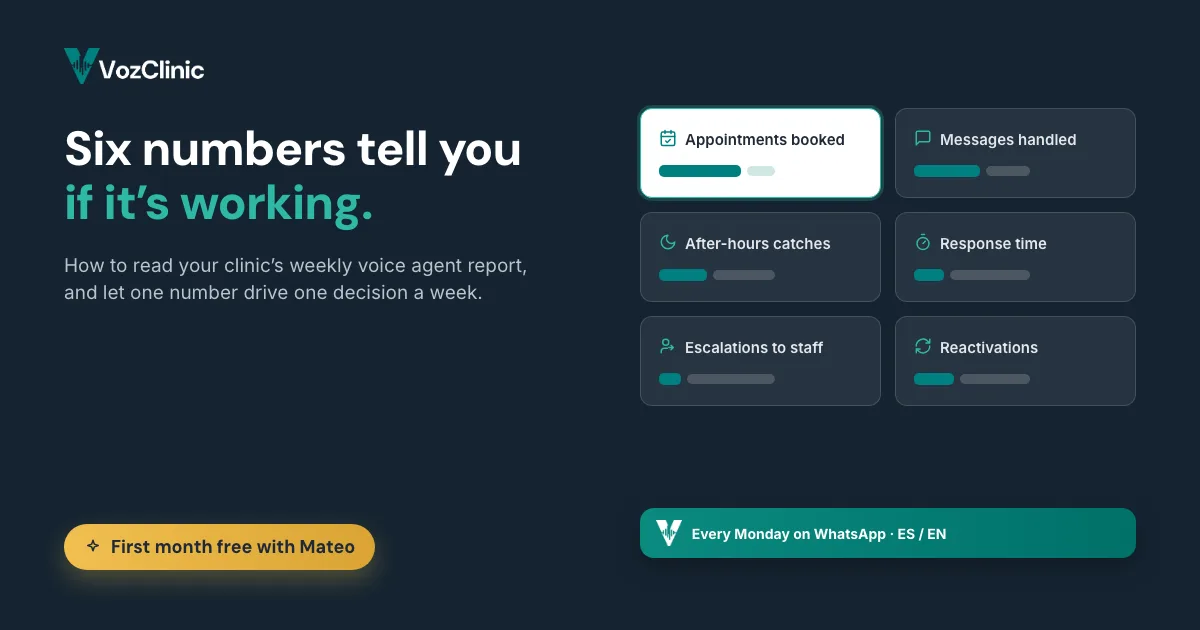
Once your AI voice agent is live, the question stops being "will it work" and becomes "is it working." The answer is in the weekly WhatsApp report that lands every Monday, plus the daily summary each morning. But a report is only useful if you know which numbers to read and what to do when one of them moves. Most clinic owners glance at it and move on, which means they are paying for a tool and ignoring the one thing that tells them whether it is earning its keep.
So here are the six numbers worth two minutes of your Monday, in the order they matter for a busy clinic. For each one: what it is, what it is really telling you, and the action to take when it moves. No invented benchmarks and no made-up dollar figures, because the only numbers that matter are the ones from your own clinic.
Short answer: To measure an AI voice agent for your clinic, watch six numbers in the weekly report: appointments booked, messages handled, after-hours catches, how fast it responded, escalations to staff, and reactivations of past patients. Appointments booked and after-hours catches tell you if it is recovering revenue; messages handled tells you the load it took off your front desk; escalations tells you where it needs a human; reactivations tells you if it is winning back patients you already had. Read them as a trend over several Mondays, not as a single week, and let one of them drive one decision a week.
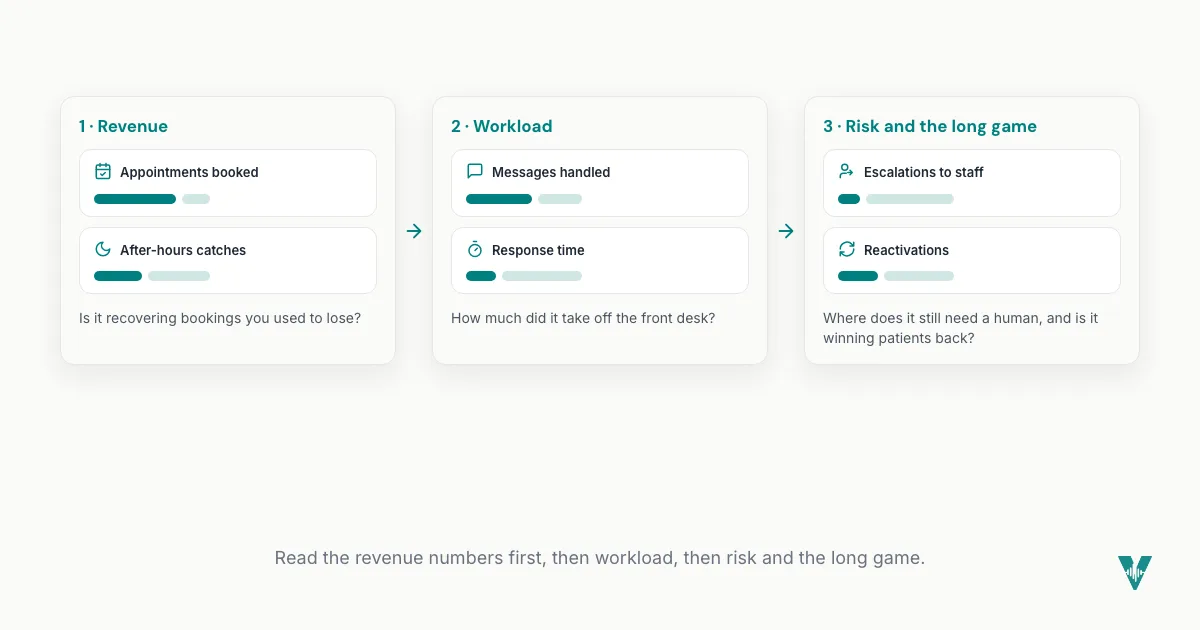
Here are the six, in the order they matter.
1. Appointments booked
This is the headline, because it is the number that turns directly into revenue you can see. Appointments booked is the agent doing the job you hired it for: turning a WhatsApp or phone conversation into a confirmed slot on your calendar, without your staff retyping anything.
What it tells you: whether the agent is producing, not just chatting. A steady or rising count means the tool is converting demand into booked business.
The action: compare it against the messages-handled number below. If the agent is handling plenty of conversations but booking few of them, something in the path from question to appointment is losing people, and that gap is worth investigating in the conversation logs, which you can review.
2. Messages handled
This is the size of the load your front desk is no longer carrying. Every message the agent answered is a question that used to interrupt someone at the counter, or that went unanswered until someone had a free moment.
What it tells you: how much repetitive, high-volume front-desk work your clinic actually generates, counted in one place for the first time instead of disappearing into a busy day.
The action: watch the monthly total more than the weekly one. If it is far higher than you expected, that is a quiet finding worth sitting with. It means your team was absorbing more interruptions than you realized, and the agent has handed that time back to the patient in the room.
3. After-hours catches
This is the proof of the leak you were living with. It counts the inquiries the agent handled when your clinic was closed: the 9pm WhatsApp message, the Sunday question, the call that used to go to voicemail and never got returned.
What it tells you: how much business was quietly walking out the door after closing time, now caught and often booked. For a cross-border clinic fielding patients in another time zone, this is frequently the single number that justifies the whole tool.
The action: if this number is meaningful, protect it. It is the clearest evidence that the agent is working the hours you were previously losing, and it is the easiest line to show a skeptical partner or associate when you are justifying the investment.
4. How fast it responded
Speed is the quiet advantage, because in cross-border booking the clinic that answers first usually wins the patient. The agent replies the moment a message or call comes in, day or night, instead of whenever your front desk gets a free minute.
What it tells you: whether inquiries are getting an instant answer or sitting in a queue. The value of a voice agent is not only that it answers, it is that it answers now, before the patient moves on to the next clinic in their search.
The action: treat consistent, immediate response as the baseline you are buying, and notice if anything ever slows it, such as a flood of escalations pulling conversations to human staff. If speed is your edge, the report is where you confirm you still have it. More on why this matters is in the piece on the hidden cost of a missed call, linked below.
5. Escalations to staff
An escalation is the agent correctly deciding a conversation needs a human and handing it to your team. This is not a failure number; it is a health number.
What it tells you: where the automation ends and your people begin. A steady, modest escalation rate is a sign the agent knows its limits. A sudden spike is information.
The action: when escalations jump, read a few of them, because they usually cluster around one new thing, a service you just started offering, a question the agent was never taught, or a situation that genuinely needs a person. Then either teach the agent the answer so the rate drops, or confirm those conversations should always reach a human. Both outcomes make your setup better.
6. Reactivations of past patients
This is the number most clinics never used to track, because nobody had time to chase inactive patients by hand. The agent runs recall and reactivation outreach, so lapsed patients who would otherwise have been forgotten get a timely nudge to come back.
What it tells you: whether you are winning back patients you already earned, which is almost always cheaper than finding new ones. Reactivation revenue is money sitting in a list you already own.
The action: if reactivations are low, that usually means the agent has not been pointed at your inactive-patient list yet, or the recall rules need tightening, both of which are quick fixes. If they are healthy, it is a line worth watching month over month, because a steady trickle of returning patients compounds quietly over a year.
How to actually use these six
Do not try to react to all six every week. Read appointments booked and after-hours catches first, because they mean revenue. Scan messages handled and response time to confirm the load and the speed. Read escalations for risk and reactivations for the long game. Then let one number, the one that moved the most, drive one decision that week. That is the whole discipline, and it is what separates clinics that get compounding value from the agent from those that pay for it and look away.
The deeper walkthrough of each line, with how to read the daily summary alongside the weekly report, is in the companion piece, what your clinic's weekly WhatsApp report actually tells you. And if you want to turn these numbers into an economic case, the VozClinic ROI calculator lets you put in your own case values rather than trust a generic figure.
Frequently asked questions
How do I measure an AI voice agent for my clinic?
Watch six numbers in the weekly WhatsApp report: appointments booked, messages handled, after-hours catches, how fast it responded, escalations to staff, and reactivations of past patients. Read them as a trend over several Mondays rather than judging a single week, and let the number that moved the most drive one decision. Appointments booked and after-hours catches map most directly to revenue, so start there.
Which number tells me the agent is paying for itself?
Appointments booked and after-hours catches are the clearest signals, because both map to bookings you would otherwise have lost. After-hours catches in particular measure business that used to go to voicemail and never come back, which for a cross-border clinic is often the line that justifies the whole tool. To translate those into an economic case, use an ROI calculator with your own case values rather than a generic payback claim.
Is a high number of escalations bad?
No. An escalation is the agent correctly handing a conversation to a human when it falls outside what it should handle alone, so a steady, modest rate is healthy. What matters is a sudden spike, which usually points to one new thing you can teach the agent or confirm should always reach a person. Read a few escalated conversations to find the pattern.
Where do I see these numbers?
They arrive on WhatsApp, the same channel the agent runs on. You get a full report every Monday and a shorter summary every morning covering the last 24 hours, so you do not have to log into a separate dashboard or export anything. The format is a short, scannable message meant to be read in a couple of minutes.
What should I do if appointments booked is low?
Compare it against messages handled. If the agent is handling many conversations but booking few, people are reaching out and not booking, so look at why in the conversation logs: it is often a price they did not expect, a service you do not offer, or availability. The report points you at the question and the logs hold the answer.
Can I track reactivated patients with an AI voice agent?
Yes. The agent runs recall and reactivation outreach to lapsed patients, and that activity shows up as a number you can watch over time. If reactivations are low, it usually means the agent has not been pointed at your inactive-patient list yet or the recall rules need tightening, both quick fixes worth making because returning patients are almost always cheaper to win than new ones.
VozClinic is available now
VozClinic is available now. Book a 20-minute demo with Mateo and your clinic gets its first month free. Ask to see a sample weekly report so you know exactly which six numbers you will be watching, at www.vozclinic.com, or send your questions to hola@vozclinic.com. Hecho en Tijuana.
← Back to the blog