Most of the attention goes to the setup. Will the agent sound natural, will it connect to your calendar, will your patients accept it. Those are the right questions to ask before you buy. But the question that decides whether the tool earns its place is one you only ask after it is live: how do I know it is actually working? A voice agent that quietly answers messages all week is doing you no good if you cannot see what it caught, what it booked, and where it needed a human. The report is the window into all of that, and reading it is a skill worth ten minutes to learn.
So this post is about the part that happens after onboarding, once the agent, Sofia, is running on your clinic's WhatsApp. Every Monday you get a summary of the week, and every morning you get a shorter summary of the last 24 hours. This is what those reports contain, what each line is really telling you, and the specific move each number should prompt. Read it once and your Monday report stops being a notification you glance at and becomes the two minutes that tell you where your clinic is leaking and where it is already winning.
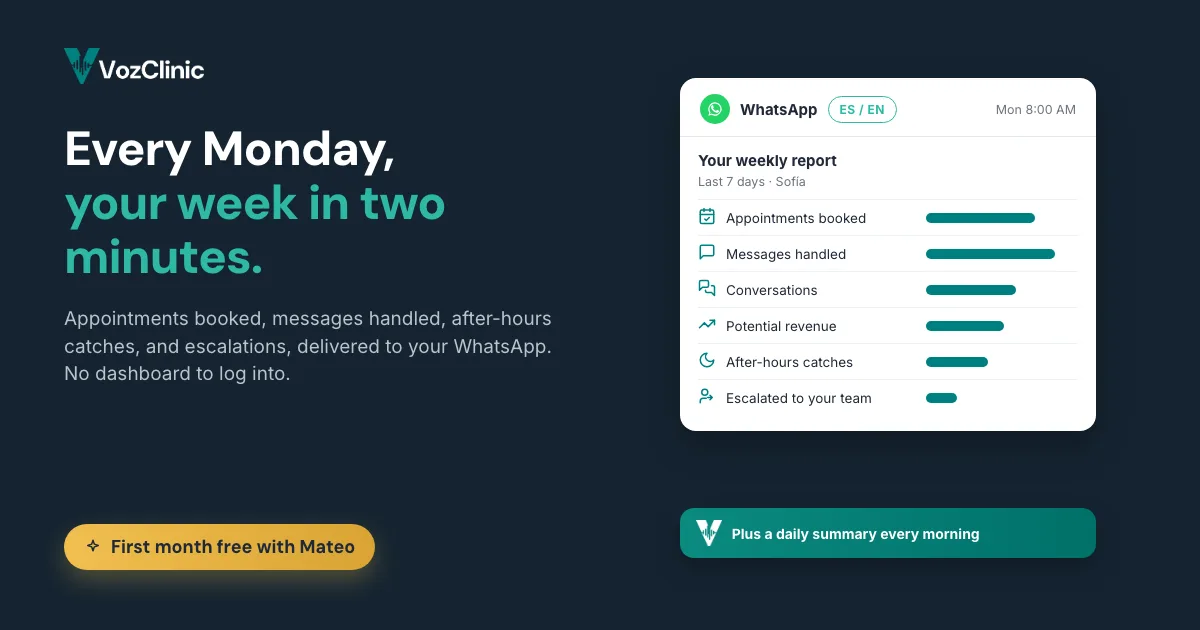
Short answer: Your clinic's weekly VozClinic report, delivered every Monday on WhatsApp, shows you the conversations the agent handled, the appointments it booked, the messages it answered, the potential revenue it surfaced, the after-hours inquiries it caught, and the conversations it escalated to your staff. A shorter daily summary each morning covers the last 24 hours. Read together, they tell you whether the agent is recovering bookings you used to lose and where your team still needs to step in, without you having to log into anything.
What is the weekly WhatsApp report?
It is a plain summary of what your agent did, sent to you on the same channel the agent runs on. You do not log into a dashboard or export a spreadsheet. Every Monday, a report lands on WhatsApp covering the previous week, and every morning a daily summary covers the last 24 hours. The daily note keeps you current between Mondays, so a surge of after-hours inquiries or a spike in escalations is something you see the next morning rather than at the end of the week.
The reason the report lives on WhatsApp and not in some separate analytics tool is the same reason the agent lives there: it meets you where you already are. A dashboard you have to remember to open is a dashboard you stop opening by week three. A message that arrives every Monday morning is one you actually read. The format is deliberately boring in the best way, a short, scannable summary rather than a wall of charts, because the point is for a busy clinic owner to get the picture in the time it takes to drink the first coffee.
What does the report actually show you?
Six things, each answering a question you would otherwise have to guess at. How many conversations did the agent handle. How many of those turned into booked appointments. How many messages did it answer in total. What potential revenue did the week's activity represent. How many inquiries did it catch after hours, when your front desk was closed. And how many conversations did it hand off to your staff because they needed a human. Those six lines are the week in one glance.
What makes the set useful is that it covers both halves of the job: the work the agent took off your plate, and the work it correctly pushed back to you. A report that only bragged about volume would be marketing. A report that shows you both the bookings it closed and the conversations it escalated is telling you the truth about where the automation ends and your team begins. The rest of this post takes the lines that need interpretation and says what to do with each.
How do I read it in two minutes on a Monday?
Start with the two numbers that mean money, then scan the two that mean workload, then read the one that means risk. The money numbers are appointments booked and potential revenue: they tell you what the agent produced. The workload numbers are conversations handled and messages answered: they tell you how much your front desk did not have to carry. The risk number is escalations: it tells you where a patient needed something the agent could not give. After-hours catches sit alongside all of these as the proof that the agent is earning its keep in the hours you were previously losing.
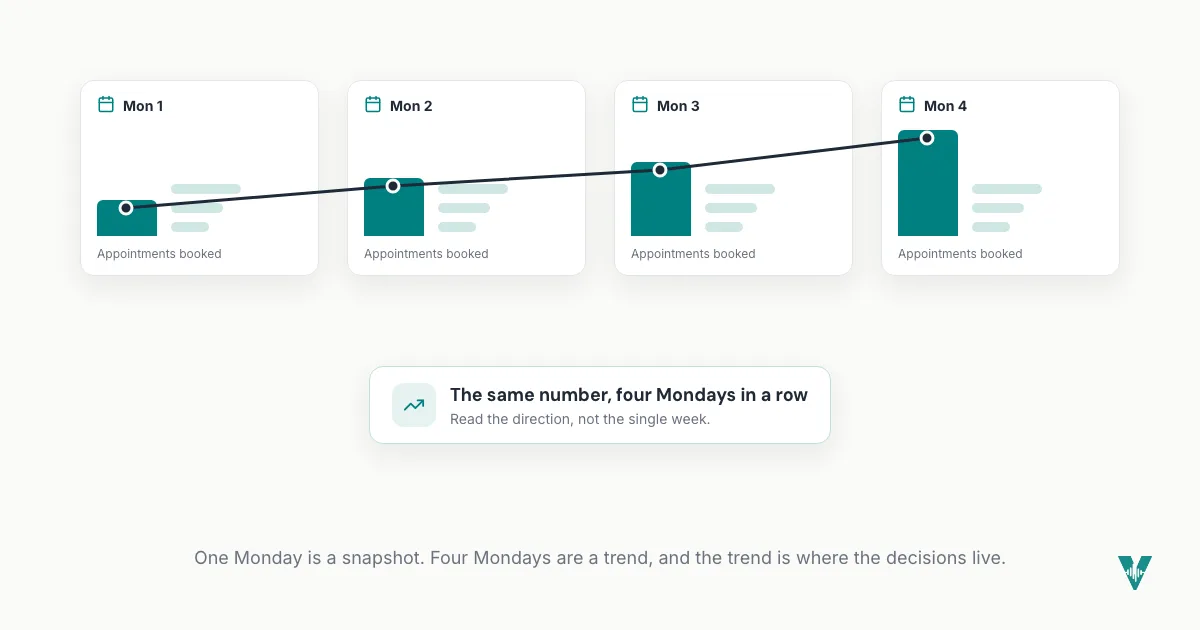
The habit that makes the report pay off is comparison, not the single week's figures. One Monday's numbers are a snapshot. Four Mondays in a row are a trend, and the trend is where the decisions live. Bookings climbing week over week means the agent is finding its rhythm with your patients. Escalations climbing might mean a new question you should teach it to handle. The two minutes are not about memorizing a number, they are about noticing which direction it is moving.
What should the "appointments booked" number make me do?
Treat it as the headline, because it is the one number that maps directly to revenue you can see. Appointments booked is the agent doing the thing you bought it for: turning a conversation into a slot on your calendar without your staff lifting a finger. If that number is healthy and steady, the tool is working. If it is lower than the conversation count suggests it should be, that gap is the interesting part, because it means people are reaching out but not booking, and that is a question worth asking.
The action depends on where the drop-off is. If conversations are high but bookings are low, something in the path from question to appointment is losing people: maybe a price they did not expect, maybe a service you do not offer, maybe a time that was never available. The report points you at the question; the conversation logs, which you can review, hold the answer. This is the difference between a number that just reports and a number that prompts a fix. A booking count that falls while inquiries stay high is the agent telling you to go look at what people are asking for and whether you can give it to them.
What do "conversations handled" and "messages answered" tell me about my front desk?
They tell you the size of the load your team is no longer carrying. Every conversation the agent handled and every message it answered is work that used to interrupt someone at the desk, or worse, went unanswered. Seen plainly, these two numbers are the clearest picture you will get of how much repetitive front-desk volume your clinic actually generates, because for the first time it is all being counted in one place instead of disappearing into a busy day.
The move here is less about reacting week to week and more about what the totals reveal over a month. If the agent is handling hundreds of messages a week, that is hundreds of interruptions your staff did not absorb, which is time they spent on the patient in the room instead. If the volume is far higher than you expected, that is a quiet finding worth sitting with: your front desk was drowning in more than you realized, and the people doing that work have been carrying it. The report turns an invisible load into a visible one, and that visibility is often the first time an owner sees the real scale of it.
What is "potential revenue," and how should I treat it?
As a direction, not a dollar figure to take to the bank. The potential revenue line is the agent's estimate of what the week's bookings and serious inquiries could be worth, and it is useful precisely because it translates activity into the language you think in. But an estimate is an estimate. The honest way to use it is as a trend and a sanity check against your own numbers, not as a precise forecast, because only you know your true average case value, your show rate, and which inquiries are tire-kickers.
So the action is to calibrate it once and then watch the direction. Compare a few weeks of the potential revenue line against what actually landed on your books, and you will quickly learn your own conversion rate from "potential" to "booked and showed." Once you know that ratio, the line becomes genuinely useful: a rising potential-revenue trend means more qualified demand is reaching you, and a flat one while bookings hold means your mix is steady. What you should not do is treat a single week's figure as a promise. We would rather you trust a number you calibrated against your own results than a headline we generated. If you want to pressure-test the whole economic case before you even start, the VozClinic ROI calculator lets you put in your own case values.
What do after-hours catches and escalations tell me?
After-hours catches are the proof of the leak you were living with. This line counts the inquiries the agent handled when your clinic was closed, the 9pm WhatsApp message, the Sunday question, the call that used to go to voicemail and never got a call back. If this number is meaningful, it is a direct measure of business that was previously walking out the door after closing time, now being caught and often booked. For a cross-border clinic fielding patients in another time zone, this is frequently the line that justifies the whole tool.
Escalations are the opposite kind of signal, and just as valuable. An escalation is the agent correctly deciding a conversation needs a human and handing it to your staff. A steady, modest escalation rate is healthy: it means the agent knows its limits. A spike is information. If escalations jump, read a few of them, because they usually cluster around one new thing, a service you started offering, a question you never taught the agent, a situation that genuinely needs a person. Either you teach the agent the answer and the escalations drop, or you confirm that those conversations should always reach a human. Both outcomes make your setup better, which is why the escalation line is the one that quietly improves the agent over time.
Where your judgment still sits
The report hands you the facts; the decisions are still yours. The agent will tell you bookings dipped, but you decide whether that is a pricing problem, a seasonal lull, or a service gap. It will tell you escalations spiked, but you decide what to teach it and what to keep human. It will estimate potential revenue, but you decide what that is really worth against your own books. None of that is a weakness of the tool. It is the correct division of labor: the agent counts and surfaces, you interpret and act. A tool that claimed to make those calls for you would be overstepping, and you would be right not to trust it.
The clinics that get the most from the agent are the ones that spend ten minutes with the Monday report and let it shape one decision a week. That is the whole discipline. Not a new analytics job, just a short standing habit of reading what the agent caught and letting it point you at the one thing worth fixing. Over a quarter, those small corrections compound into an agent that fits your clinic better than it did on day one.
Where to read next
Start with the hub, AI for medical clinics: what a bilingual voice agent actually does, for the full picture of what the agent handles. Then read the companion listicle, 6 numbers to watch in your clinic's weekly voice agent report, for a quick-reference version of the metrics above, and 9 things to have ready before your clinic's AI voice agent goes live to set the agent up so its reports are accurate from week one.
Frequently asked questions
What does an AI voice agent report show for a clinic?
Your VozClinic weekly report shows the conversations the agent handled, the appointments it booked, the messages it answered, the potential revenue the week represented, the inquiries it caught after hours, and the conversations it escalated to your staff. A shorter daily summary each morning covers the last 24 hours. Together they tell you both what the agent took off your front desk and where a patient still needed a human.
How often do I get the report, and where?
You get a full report every Monday and a shorter summary every morning, both delivered on WhatsApp, the same channel the agent runs on. You do not have to log into a separate dashboard or export anything. The format is a short, scannable message designed to be read in a couple of minutes.
How do I know if my AI voice agent is actually working?
Watch appointments booked and after-hours catches over several weeks rather than judging a single day. Bookings that hold or climb mean the agent is turning conversations into revenue, and a meaningful after-hours number means it is catching business that used to go to voicemail. A steady, modest escalation rate alongside those is a sign the agent knows when to hand off to a human.
What should I do if bookings are lower than the number of conversations?
That gap usually means people are reaching out but not booking, so it is worth looking at why. Review a sample of the conversations the agent logged to see where patients drop off, whether it is price, a service you do not offer, or availability. The report points you at the question and the conversation logs hold the answer, which is how you turn a number into a fix.
Can I trust the "potential revenue" figure?
Treat it as a direction, not a precise forecast. It is the agent's estimate of what the week's bookings and serious inquiries could be worth, and the honest way to use it is to compare it against what actually lands on your books until you know your own conversion rate. Once calibrated, the trend is useful; a single week's figure should not be treated as a promise.
What does it mean if escalations suddenly spike?
A spike usually clusters around one new thing, a service you just started offering, a question the agent was never taught, or a situation that genuinely needs a person. Read a few of the escalated conversations to find the pattern, then either teach the agent the answer so the rate drops, or confirm those conversations should always reach a human. Either way the spike is information that makes your setup better.
VozClinic is available now
VozClinic is available now. Book a 20-minute demo with Mateo and your clinic gets its first month free. Ask to see a sample weekly report and the daily summary, so you know exactly what you will be reading every Monday, at www.vozclinic.com, or send your questions to hola@vozclinic.com. Hecho en Tijuana.
← Back to the blog