Most clinic owners are sold on the idea of an agent that answers every call and message before they ever ask the question that actually decides it: will this thing work with the software I already run? It is the right question, and it is the one a lot of vendors talk around. A voice agent that answers beautifully but cannot put the appointment into your calendar is just a very polite message-taker. The whole value is in the handoff, the moment the conversation turns into a booked slot on the same schedule your front desk and your doctors already look at every morning.
So this post is about that handoff. Not the marketing promise of "integrates with everything," but the concrete answer to what a bilingual AI voice agent actually connects to, how it books an appointment into your calendar, what happens when your clinic software is less common, and how long the whole connection takes to set up. If you run Google Calendar, Outlook, or Open Dental, the short version is that it plugs into what you already use. The longer version, and the honest edges, are below.
Short answer: Yes, a bilingual AI voice agent works with the calendar and clinic software you already run. VozClinic integrates with Google Calendar, Outlook, and Open Dental, and connects to other practice management systems that offer an available API. It books appointments straight into your real schedule during the conversation, keeps your existing phone number, and runs on the official WhatsApp Business API, so it fits into your current setup instead of forcing you to replace it. Connection takes about 48 hours, with a 90-minute training session in the first days.
Which calendars and clinic systems does it connect to?
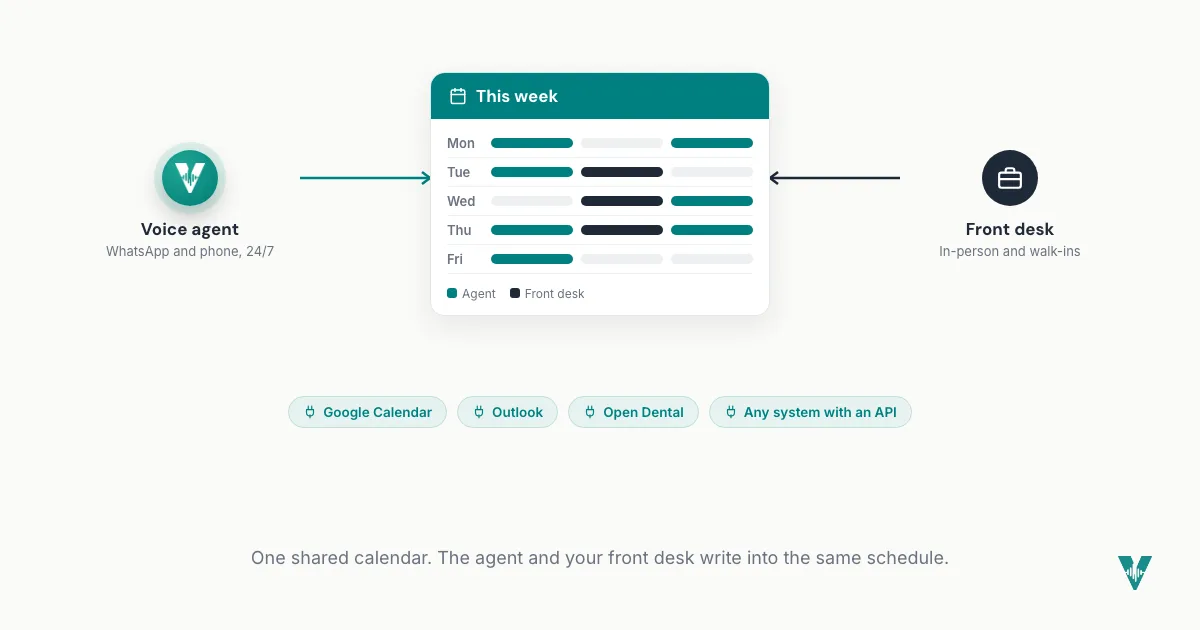
The ones most clinics already live in. VozClinic integrates directly with Google Calendar and Outlook for scheduling, and with Open Dental for practices running their operations on it. Beyond those named integrations, it can connect to other practice management systems that expose an available API, which is how a tool stays useful to a clinic whether it runs on a mainstream platform or something more specific to the local market.
The reason this list matters is that it tells you whether the agent books into your real schedule or into a separate silo you then have to reconcile by hand. An agent wired into your actual calendar means the slot it books is the slot everyone sees, immediately. An agent that keeps its own parallel calendar is just a second thing to check. VozClinic is built for the first case: the appointment lands where your team is already looking, not in a place they have to remember to open.
How does the agent actually book an appointment into my calendar?
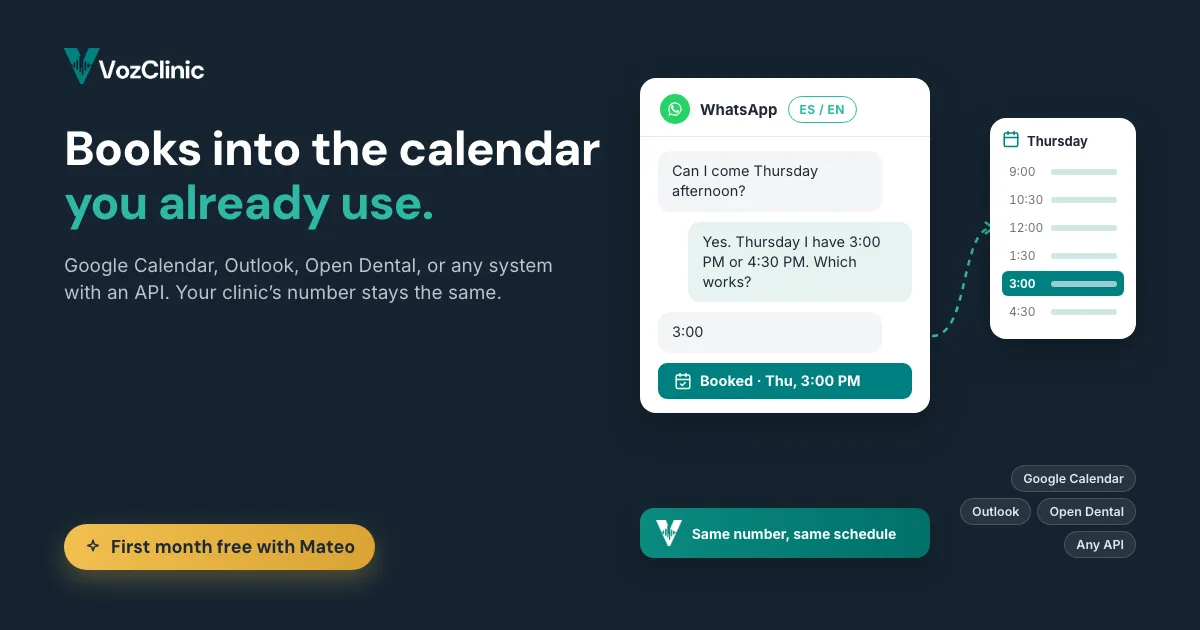
In the conversation, while the patient is still there. When a patient reaches out on WhatsApp or by phone, the agent, Sofia, checks real availability on your connected calendar, offers the open times in the patient's language, and writes the confirmed appointment straight into that calendar. The patient gets a confirmation, your schedule gets the booking, and nobody on your staff had to retype anything. From the patient's side it feels like talking to a receptionist who had the appointment book open the whole time, because functionally that is what happened.
This is the difference between an agent that reduces work and one that just moves it. A message-taker collects a request that someone on your team still has to read, understand, and manually enter, which means the booking is only as fast as your next free moment at the front desk. An integrated agent closes the loop itself, so the appointment is real the instant the patient agrees to it. That closed loop is also what lets the agent send the right reminders later, at 24 hours and 2 hours before the visit, because it knows about the appointment it created.
What if my clinic software is not on the list?
Then the question becomes whether your system has an API the agent can connect to. Named integrations like Google Calendar, Outlook, and Open Dental are the paved roads, but plenty of practice management systems expose an API, and that is the hook a voice agent uses to read availability and write bookings. If yours does, a connection is usually workable. If it does not, the agent can still run on a managed scheduling setup and hand structured bookings to your team, which is less seamless than a native write-back but still removes the back-and-forth of catching every call live.
The honest answer here is that it depends on your specific software, and that is exactly the kind of thing worth confirming in a demo rather than guessing from a webpage. We would rather tell you plainly whether your system connects than promise a universal integration that does not exist. If you bring the name of the platform you run, the VozClinic team can tell you quickly whether it has an API path, what the booking experience looks like on it, and where any manual step would remain.
Does it work with my existing phone number and WhatsApp?
Yes, and keeping your number is the point, not a workaround. VozClinic runs on the official WhatsApp Business API and keeps the number your patients already have saved and already message. You do not hand out a new line, reprint anything, or retrain your patients to reach you somewhere else. The agent answers on the channel and the number your clinic is already known by, which is what makes the switch invisible to patients and painless for you.
This matters for integrations specifically because the phone number and the messaging channel are themselves part of your setup. A tool that made you move to a new number would be ripping out an integration you did not think of as one: the connection between your clinic and every patient who has your contact saved. Running on the official WhatsApp Business API, on your existing number, means the agent slots into that relationship instead of disrupting it. We go deeper on why that channel is the right one for border clinics in the piece on the WhatsApp Business API and your existing number.
How long does it take to connect to my systems?
About 48 hours to connect, and roughly a week to full production. VozClinic's onboarding is built to be fast and low-effort on the clinic's side: the connection to your calendar and systems is set up within about 48 hours, followed by a 90-minute training session in the first days where the agent is taught your services, your hours, your common questions, and how you want it to behave. From there the clinic is in full production within the first week, not months.
The reason onboarding belongs in a conversation about integrations is that "does it integrate" and "how painful is the setup" are really the same worry wearing two hats. An integration that takes a quarter-long IT project is a different purchase than one that connects in two days. VozClinic is the second kind. If you want the full checklist of what to have ready so that 90-minute session goes smoothly, your service list, hours, FAQs, calendar access, and escalation contacts, it is laid out in the onboarding checklist linked below.
Will it clash with what my front desk enters by hand?
No, because it reads and writes the same calendar your team uses. Since the agent books into your connected calendar rather than a separate one, it sees the slots your staff block manually and your staff see the slots the agent books, in the same view, as they happen. There is one schedule, one source of truth, and both the humans and the agent are working from it. That shared view is the whole reason native calendar integration beats a bolted-on booking tool.
And when a conversation goes beyond what the agent should handle on its own, it escalates to your staff rather than guessing. The integration is not a wall that locks people out of their own schedule; it is a shared workspace where the agent handles the routine, high-volume bookings and your team stays in control of the exceptions. That balance, automation for the repetitive and human judgment for the rest, is what keeps the calendar trustworthy.
Where the clinic's setup still sits
An integrated agent does not mean a hands-off purchase, and it should not pretend to. You decide which calendar is the source of truth, you set the rules for how slots are offered, and you own the services, hours, and escalation contacts the agent works from. What the integration does is carry out the booking correctly against those rules, so the automation strengthens your schedule instead of quietly creating a second one. Choosing a tool that connects to what you already run, rather than one that asks you to move everything, is itself part of keeping the setup sane.
Where to read next
Start with the hub, AI for medical clinics: what a bilingual voice agent actually does, for the full picture of what the agent handles. Then read voice AI for clinics, explained for how the agent works under the hood, and 9 things to have ready before your clinic's AI voice agent goes live for the setup checklist that makes the integration smooth.
Frequently asked questions
Does an AI voice agent work with my calendar and clinic software?
Yes. VozClinic integrates with Google Calendar, Outlook, and Open Dental, and can connect to other practice management systems that offer an available API. It books appointments directly into your connected calendar during the conversation, so the slot the agent books is the slot your whole team sees. If you are unsure whether your specific software connects, the VozClinic team can confirm it in a demo.
Can an AI voice agent book appointments into Google Calendar?
Yes. The agent checks real availability on your connected Google Calendar, offers the open times to the patient in their language, and writes the confirmed appointment straight into that calendar while the patient is still in the conversation. Your staff do not have to retype anything, and the booking is real the moment the patient agrees.
Does it work with Open Dental?
Yes, Open Dental is one of the named integrations. For practices running on Open Dental, the agent connects to it so bookings land in the system your team already uses, rather than in a separate calendar you have to reconcile by hand.
What if my practice management system is not listed?
It depends on whether your system has an available API. Many practice management platforms expose one, which is what the agent uses to read availability and write bookings, so a connection is often workable. If yours does not, the agent can still run on a managed scheduling setup and hand structured bookings to your team. The honest way to know for sure is to bring the name of your platform to a demo.
Do I have to change my phone number?
No. VozClinic runs on the official WhatsApp Business API and keeps your clinic's existing number, the one your patients already have saved and message. You do not hand out a new line or retrain your patients, which is what makes the change invisible to them.
How long does it take to connect everything?
About 48 hours to set up the connection, followed by a 90-minute training session in the first days, with the clinic in full production within the first week. It is a fast setup, not a long IT project, which is part of what makes an integrated agent practical for a busy clinic.
VozClinic is available now
VozClinic is available now. Book a 20-minute demo with Mateo and your clinic gets its first month free. Bring the name of the calendar and software you run, and see the agent book a real appointment into it at www.vozclinic.com, or send your questions to hola@vozclinic.com. Hecho en Tijuana.
← Back to the blog